A Step-by-Step Guide to Successful SaaS Application Development

Businesses across industries are investing in digital products to improve efficiency, reach new customers, and create new revenue opportunities. Among these solutions, Software as a Service (SaaS) has become a popular business model because it allows users to access applications through the internet without managing traditional software installations. However, building a successful SaaS product requires more than writing code. It involves strategic planning, user-focused design, scalable architecture, secure development, and continuous improvement.
SaaS Application Development helps businesses transform ideas into cloud-based software products that can serve customers efficiently and grow alongside changing market demands. Whether a startup is launching its first minimum viable product (MVP) or an established company is modernizing an existing platform, following a structured development process can reduce risks and improve the chances of success.
Companies such as App Scoop focus on building custom software, SaaS platforms, web applications, and mobile applications with an emphasis on scalability, security, and performance. Understanding the development process can help businesses make informed decisions and establish a stronger foundation for long-term growth.
What is SaaS Application Development?
SaaS Application Development is the process of planning, designing, building, testing, deploying, and maintaining software that users access over the internet. Instead of installing an application on individual computers, customers typically log in through a web browser or a supported mobile application.
Examples include project management platforms, customer relationship management (CRM) systems, accounting software, online booking applications, and AI-powered business tools.
A SaaS product may include subscription management, user authentication, cloud hosting, data storage, administrative dashboards, third-party integrations, and automated workflows. The exact features depend on the business model and the problems the application is intended to solve.
Successful SaaS products combine reliable technology with a clear understanding of customer needs. A well-planned development strategy ensures that the application is useful at launch and can accommodate future improvements without unnecessary technical complexity.
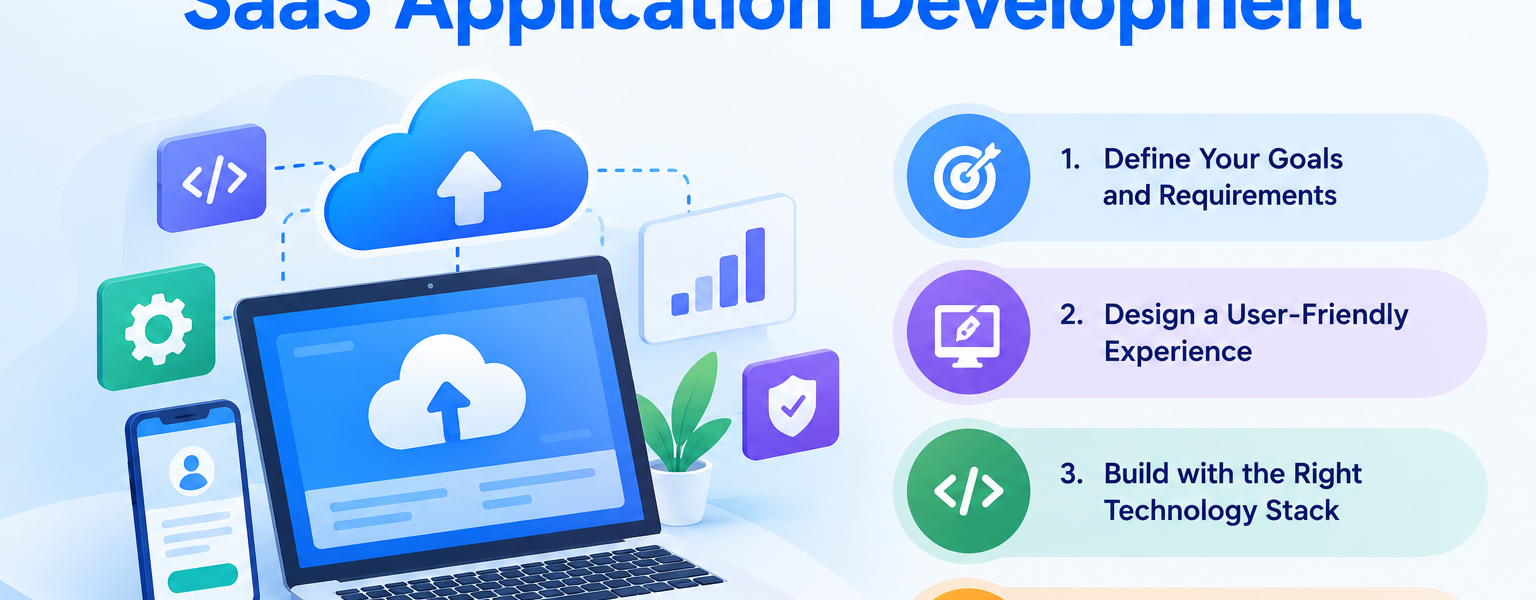
Step 1: Define Your Business Goals and Product Requirements
Every successful SaaS project begins with a clear understanding of the problem it aims to solve. Businesses that start development without defining their objectives may spend time and money building features that customers do not need.
Identify Your Target Audience
Begin by determining who will use the application and what challenges they experience. Your target audience could include small businesses, enterprise teams, healthcare providers, retailers, or professionals working in a specific industry.
Research your potential customers, evaluate competing products, and identify gaps in the existing market. These insights will help you establish a clear value proposition and prioritize the functionality that matters most.
Define Essential Features and Success Metrics
Create a list of core features that directly address the identified problem. For example, a project management SaaS application may require task assignment, team collaboration, notifications, reporting, and user permissions.
You should also establish measurable objectives, such as customer acquisition, onboarding completion, user engagement, or subscription retention.
This planning stage helps keep the project focused and provides a framework for evaluating its performance after launch.
Step 2: Prepare a SaaS Execution Blueprint
Before development begins, businesses should establish a detailed technical and product plan. This step is particularly important for SaaS applications because early architectural decisions can influence security, scalability, maintenance costs, and future development.
Evaluate Technical Risks Before Writing Code
Assess the application’s proposed architecture, integrations, data model, security requirements, and expected user traffic. Identify potential bottlenecks and dependencies that could create problems during development or after launch.
Planning these elements early can help prevent expensive redesigns and reduce uncertainty throughout the project.
Establish the Scope, Timeline, and Budget
Define which features belong in the initial release, which can be introduced later, and what resources are required to complete each milestone.
Creating a clickable prototype is also useful because stakeholders can experience the proposed user journey before committing to full development.
App Scoop describes its Execution Blueprint approach as a planning phase that maps architecture, integrations, security, scope, and delivery expectations before the build begins. This structured process can help businesses make clearer decisions and establish realistic project boundaries.
Step 3: Design an Intuitive User Experience
A technically advanced application will struggle to succeed if customers find it confusing or difficult to use. User experience (UX) and user interface (UI) design should therefore be central to the SaaS development process.
Build Clear User Journeys
Map the steps users will take to complete important tasks. These journeys may include account registration, onboarding, dashboard navigation, subscription selection, and access to key application features.
Reducing unnecessary steps makes the application easier to understand and can help users recognize its value sooner.
Create Wireframes and Interactive Prototypes
Wireframes define the basic structure of screens, while prototypes demonstrate how users will navigate between them. These design assets help stakeholders review layouts, workflows, and functionality before significant engineering work begins.
Collecting feedback during this stage allows teams to address usability problems early.
Maintain Consistent Design Across Devices
SaaS products should provide a consistent experience across supported screen sizes and devices. Responsive web design is particularly important for customers who access business applications from desktops, tablets, and smartphones.
A strong UI/UX design process improves usability, supports customer adoption, and creates a professional impression of the product.
Step 4: Choose the Right Technology Stack
The technology stack determines how the application is developed, deployed, maintained, and scaled. Choosing suitable technologies requires balancing performance, security, development speed, and long-term maintainability.
Select Appropriate Frontend and Backend Technologies
Frontend technologies manage the interface users interact with, while backend technologies handle business logic, authentication, data processing, and communication with other services.
The choice of programming languages and frameworks should reflect the application’s complexity, expected workload, and available engineering expertise.
Plan Cloud Infrastructure and Database Architecture
Cloud infrastructure can provide flexible computing resources, storage, and deployment options. The database architecture should support the application’s data relationships, access patterns, security requirements, and expected growth.
For multi-tenant SaaS products, developers must also decide how customer data will be separated and protected.
Design for Scalability From the Beginning
A scalable architecture should accommodate increasing users and workloads without requiring a complete rebuild. Techniques such as caching, load balancing, database optimization, and automated resource scaling can help maintain performance.
The objective is not to introduce unnecessary complexity at the beginning. Instead, the architecture should support the product’s realistic growth plans while leaving room for future expansion.
Step 5: Develop the Core SaaS Application
Once the requirements, design, and technical architecture are established, the development team can begin building the application.
A structured development process helps transform the approved plan into working software while keeping the project aligned with its objectives.
Build Features Through Agile Development
Agile development divides the project into manageable iterations, commonly organized into short sprints. Each sprint focuses on specific deliverables, allowing teams to demonstrate progress and incorporate feedback regularly.
For example, an initial sprint may focus on authentication and user registration, while subsequent sprints introduce dashboards, reporting, integrations, and subscription functionality.
This approach improves visibility into development progress and helps teams identify issues before they affect the entire project.
Implement APIs and Third-Party Integrations
Many SaaS products depend on external services for payment processing, communication, analytics, customer management, or authentication.
Well-designed APIs allow the application to exchange information with these systems. Developers should implement appropriate authentication, error handling, monitoring, and documentation to make integrations reliable and maintainable.
App Scoop also offers API and system integration services, which can help businesses connect software components and streamline information flow between applications.
Use AI Tools Responsibly
AI-assisted development can help teams generate boilerplate code, create test cases, and produce technical documentation more efficiently. However, generated code still requires careful review for security vulnerabilities, performance issues, and architectural consistency.
Human engineering oversight remains essential when building production-ready software that handles business-critical operations or sensitive customer information.
Step 6: Integrate Security Into Every Development Stage
Security is a fundamental requirement for any SaaS product, particularly when the application stores personal information, financial records, or confidential business data.
Treating security as a final checklist item can leave important vulnerabilities undiscovered until the application is already in use.
Implement Authentication and Access Controls
Use secure authentication mechanisms, appropriate password policies, multifactor authentication where suitable, and role-based permissions.
Users should have access only to the information and features necessary for their responsibilities. Administrative actions should also be logged where appropriate to support accountability and investigation.
Protect Data and Application Infrastructure
Encryption, secure secret management, dependency monitoring, regular backups, and vulnerability assessments can help reduce security risks.
Businesses should also establish incident response procedures and evaluate applicable privacy regulations based on their customers, industry, and operating regions.
Conduct Security Reviews Before Launch
Security testing should cover authentication, authorization, input validation, API access, and potential data exposure. Independent assessments may be appropriate for applications handling particularly sensitive information.
A proactive security strategy helps build customer confidence and prepares the product for enterprise procurement and security reviews.
Step 7: Test Performance, Functionality, and Reliability
Testing verifies whether the application works as intended and can handle realistic operating conditions. Skipping this stage may lead to errors, slow response times, and customer dissatisfaction after launch.
Perform Functional and Integration Testing
Functional testing checks whether each feature behaves according to its documented requirements. Integration testing verifies that different application components and external services communicate correctly.
Automated tests can help teams identify regressions when new features are introduced.
Conduct Load and Performance Testing
Load testing evaluates how the application responds when multiple users access it simultaneously. It can reveal slow database queries, resource limitations, and other performance bottlenecks.
Teams should test important workflows under realistic conditions and compare the results with defined performance targets.
Verify the Complete User Journey
Before release, test the application from the user’s perspective, including registration, login, essential workflows, payments where applicable, notifications, and account management.
App Scoop emphasizes real-world usage testing, load simulation, performance tuning, and verification of documented features as part of its launch and stabilization approach.
These checks help teams identify problems before they affect customers and support a more reliable launch.
Step 8: Deploy the Application and Prepare for Launch
Deployment moves the application from its development environment into production, where customers can access it. Successful deployment requires technical preparation as well as a clear operational plan.
Configure Production Infrastructure
Prepare hosting resources, domain settings, database connections, access permissions, monitoring tools, and backup procedures. Use environment-specific configuration to prevent development credentials or test settings from reaching production.
Automated deployment pipelines can help standardize releases and reduce manual errors.
Plan a Controlled Release
A beta release or limited rollout allows a selected group of users to evaluate the product before wider availability. Their feedback can reveal issues that may not appear during internal testing.
Teams should define rollback procedures and establish a way to respond quickly if a critical problem emerges.
Establish Monitoring and Support
After launch, monitor application availability, response times, error rates, resource consumption, and important user workflows.
Clear support processes also help customers report issues and receive timely assistance. Launch should be treated as the beginning of ongoing product improvement rather than the end of development.
Step 9: Stabilize, Maintain, and Improve the Product
The first production release rarely represents the final version of a successful SaaS product. Customer feedback, changing requirements, and increasing usage will create opportunities for continuous improvement.
Resolve Issues and Optimize Performance
Review monitoring data, support tickets, and customer feedback to identify problems that affect reliability or usability. Prioritize critical defects and address performance bottlenecks before adding unnecessary complexity.
App Scoop’s Launch and Stabilization approach focuses on real-world testing, stability improvements, and verifying that documented functionality works as expected.
This continued attention is valuable because even a feature-rich application can lose customers if it performs inconsistently.
Introduce Features Based on Customer Needs
Use product analytics and customer conversations to identify which improvements will provide the greatest value.
New features should support clear business objectives rather than simply increasing the size of the product. Regularly reviewing the roadmap helps businesses balance innovation with maintenance.
Keep the Application Secure and Up to Date
Ongoing maintenance includes dependency updates, security patches, backup verification, infrastructure reviews, and compatibility improvements.
These activities help maintain reliability as the application evolves and the technology environment changes.
Step 10: Scale the SaaS Product as the Business Grows
Once the product demonstrates value and begins attracting more customers, the development strategy should evolve to support increased demand.
Improve Infrastructure Efficiency
Review cloud resource usage, database performance, caching strategies, and application bottlenecks. Optimize infrastructure based on measured requirements rather than assuming that adding more servers will solve every problem.
Efficient resource management can help control hosting costs while maintaining a consistent customer experience.
Expand Integrations and Automation
As businesses grow, they often need more sophisticated connections between CRM systems, billing platforms, internal tools, and reporting applications.
API integrations and AI workflow automation can reduce repetitive work and make complex processes easier to manage. For example, an application may automatically classify incoming documents, summarize support requests, or coordinate approved actions across connected systems.
AI-powered features should include suitable access controls, validation, monitoring, and human oversight for consequential decisions.
Measure Business Performance
Track indicators such as customer acquisition, subscription retention, feature adoption, support volume, and operating costs.
These metrics help businesses understand whether the product is achieving its goals and where additional investment may be worthwhile.
Scaling successfully requires a balance between technical performance, customer satisfaction, and sustainable business economics.
Common Mistakes to Avoid During SaaS Application Development
Even promising software ideas can face difficulties when development decisions are rushed or poorly planned.
Some common mistakes include:
- Building too many features before validating the core product idea.
- Ignoring architecture and data security during the initial development phase.
- Choosing technologies without considering long-term maintenance.
- Underestimating the importance of UI/UX design and onboarding.
- Skipping load testing and security assessments before launch.
- Treating deployment as the final project milestone.
- Adding AI features without evaluating accuracy, privacy, and operating costs.
A disciplined development process helps businesses reduce these risks and direct resources toward features and improvements that create measurable value.
How App Scoop Can Support Your SaaS Development Journey
Building a successful SaaS product requires coordination between strategy, design, engineering, testing, and ongoing support. Businesses benefit from a development partner that understands both the technical requirements and the commercial goals behind the product.
App Scoop provides custom SaaS and software development, web and mobile application development, UI/UX design, API and system integration, and AI workflow automation services. Its development approach emphasizes planning before coding, structured delivery, and stabilization after launch.
For businesses starting from an idea, a clear blueprint can establish the initial product scope, architecture, and delivery plan. Organizations with an existing MVP can also benefit from evaluating technical risks, improving application stability, and addressing security or scalability concerns before expanding the product.
Conclusion
Successful SaaS Application Development requires a structured process that connects business objectives with sound technical decisions. From market research and requirements planning to UI/UX design, software engineering, security testing, deployment, and continuous improvement, every stage contributes to the product’s long-term success.
Businesses that prioritize scalable architecture, reliable performance, secure data handling, and customer-focused design can create software that adapts as their needs evolve. A clear roadmap also helps teams control scope, identify risks earlier, and make better use of development resources.
Whether you are building a new SaaS product, improving an existing MVP, or introducing AI-powered automation, investing in the right development process can establish a stronger foundation for growth.
With its focus on custom software, SaaS applications, web and mobile development, integrations, and AI-enabled solutions, App Scoop can be a relevant technology partner for businesses looking to turn software ideas into reliable digital products.